AI Tools for Teachers
Artificial intelligence is changing education faster than ever. Teachers today have more responsibilities than just teaching. They create lesson plans, grade assignments, prepare quizzes, communicate with parents, and support students with different learning needs.
This is where AI tools for teachers can make a real difference.
The best AI tools help educators save time, improve classroom engagement, create better learning materials, and focus more on teaching instead of repetitive administrative work.
In this guide, I reviewed the best AI tools for teachers in 2026 based on ease of use, features, pricing, classroom value, and real-world usefulness. Whether you teach in a school, college, or online classroom, these tools can help you work more efficiently.
Related: Here are 10 Best AI Voice Agents for Customer Support in 2026 (Top Tools Compared)
Quick Answer
Best AI Tool for Teachers in 2026:
MagicSchool AI is the most complete and best AI tool for teachers because it is specially built for education, lesson planning, quizzes, grading, and classroom support in one platform.
It saves time, improves teaching quality, and works as an all-in-one AI teaching assistant.
How We Selected These AI Tools for Teachers
We selected these AI tools based on real classroom use, features, ease of use, and educational value. Each tool was reviewed on the following factors:
- Practical use in real teaching environments
- Time-saving ability for teachers
- Student engagement improvement
- Ease of use for non-technical users
- Free vs paid value
- Accuracy and reliability of AI output
- Suitability for different grade levels
This ensures that the list is practical, reliable, and useful for modern educators in 2026.
Are AI Tools Replacing Teachers?
No.
AI is designed to assist teachers, not replace them.
Effective teaching requires human skills such as empathy, communication, classroom leadership, mentorship, and relationship-building. AI can automate repetitive tasks, but it cannot replace the human connection that great educators provide.
The most successful teachers use AI as a productivity tool while maintaining control over instruction and decision-making.
Related: Here are 12 Best AI Tools for Marketing in 2026: Increase Leads & Sales
Benefits of Using AI Tools in Teaching
AI tools are changing modern education in many positive ways. Some key benefits include:
- Saves teachers time in lesson planning
- Reduces workload and stress
- Improves student engagement
- Helps in personalized learning
- Makes grading faster and more accurate
- Supports different learning levels in one classroom
- Enhances creativity in teaching methods
AI does not replace teachers, but it makes teaching more efficient and effective.
Best AI Tool Combination for Teachers
Instead of using only one tool, teachers can combine different AI tools for better results:
- MagicSchool AI → Lesson planning
- ChatGPT → Ideas and explanations
- Quizizz AI → Quizzes and tests
- Canva for Education → Visual content
- Gradescope → Grading
This combination creates a complete AI-powered teaching workflow.
Quick Comparison Table (Best AI Tools for Teachers 2026)
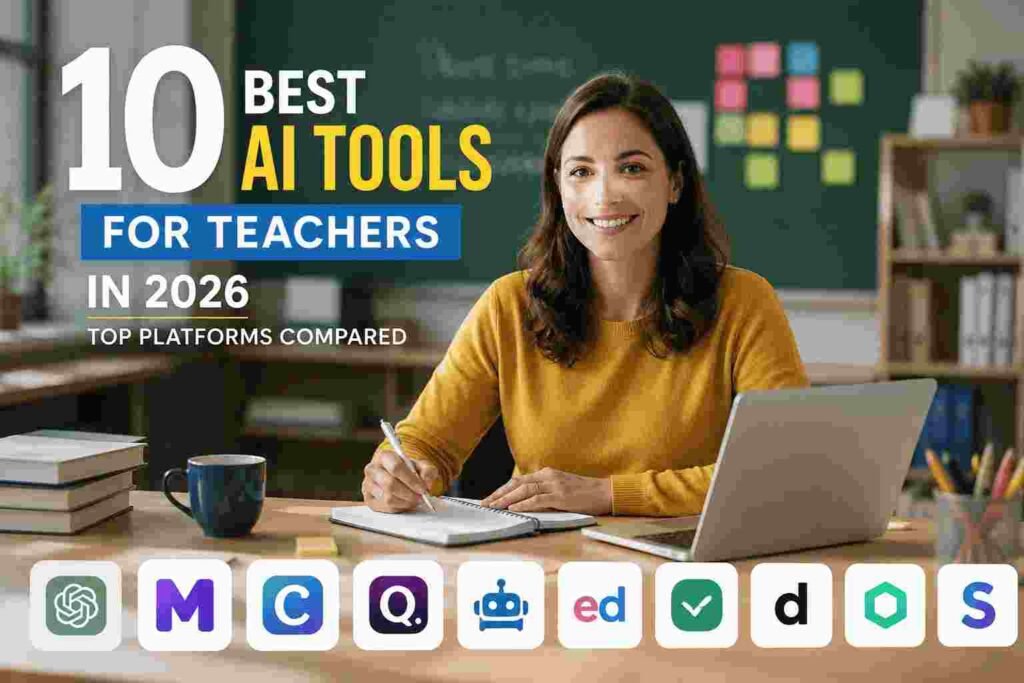
Explore the list of the 10 Best AI Tools for Teachers in 2026 (Top Platforms Compared) below.
1. MagicSchool AI
MagicSchool AI is widely recognized as one of the best AI tools for teachers available today. Unlike general-purpose AI assistants, MagicSchool AI was created specifically for educators, making it highly relevant for classroom use.
The platform helps teachers automate time-consuming tasks such as lesson planning, quiz creation, rubric generation, parent communication, student feedback, and classroom management. By reducing administrative work, teachers can spend more time focusing on student learning and engagement.
Since its launch, MagicSchool AI has gained popularity among K-12 teachers, college instructors, and educational institutions looking for practical ways to integrate AI into education.
Why Teachers Are Using MagicSchool AI
Modern teachers often spend hours outside the classroom preparing materials, grading assignments, and handling paperwork. MagicSchool AI addresses these challenges by providing ready-to-use educational tools powered by artificial intelligence.
Some common reasons teachers choose MagicSchool AI include:
- Saving time on lesson preparation
- Creating differentiated learning materials
- Generating classroom activities quickly
- Improving communication with parents
- Supporting students with diverse learning needs
- Reducing administrative workload
Many educators report saving several hours each week by using the platform consistently.
Key Features
Teachers can generate detailed lesson plans aligned with learning objectives in minutes.
Create customized worksheets for different grade levels and subjects.
Generate multiple-choice questions, short-answer assessments, and classroom quizzes.
Develop grading rubrics for projects, essays, presentations, and assignments.
Create professional emails, newsletters, and parent updates quickly.
Helpful tools for creating learning accommodations and supporting diverse student needs.
Provide personalized feedback without spending hours writing individual comments.
Generate behavior intervention plans, classroom expectations, and engagement strategies.
Real-World Use Case
Imagine a fifth-grade science teacher preparing a lesson about ecosystems.
Instead of spending hours planning:
- The teacher enters the topic into MagicSchool AI.
- The platform generates a complete lesson plan.
- It creates discussion questions.
- It develops a worksheet.
- It produces a short quiz for assessment.
- It suggests activities for different learning levels.
What might normally take two to three hours can often be completed in less than thirty minutes.
Benefits for Different Types of Teachers
Elementary School Teachers
- Create engaging classroom activities
- Develop age-appropriate worksheets
- Generate reading comprehension exercises
Middle School Teachers
- Build subject-specific lesson plans
- Create interactive assessments
- Support differentiated instruction
High School Teachers
- Develop advanced classroom discussions
- Create project rubrics
- Generate exam preparation materials
College Instructors
- Organize course content
- Design assignments
- Improve student communication
Online Educators
- Produce digital learning materials
- Create virtual classroom activities
- Save time on content development
What Makes MagicSchool AI Different?
Many AI tools can generate text, but MagicSchool AI focuses specifically on education.
Key differences include:
- Built exclusively for educators
- Educational templates instead of generic prompts
- Classroom-focused workflows
- Student support tools
- Parent communication resources
- Special education support features
These specialized tools make it easier for teachers to achieve practical results without learning complicated prompt engineering techniques.
Pros
✅ Designed specifically for teachers
✅ Easy-to-use interface
✅ Saves significant preparation time
✅ Large collection of educational templates
✅ Supports differentiated learning
✅ Helpful parent communication tools
✅ Regularly updated features
✅ Suitable for multiple grade levels
✅ Reduces teacher burnout caused by repetitive tasks
Cons
❌ Some advanced tools require a premium subscription
❌ AI-generated content should always be reviewed before classroom use
❌ Internet connection is required
❌ Certain outputs may need customization for local curriculum standards
Pricing
MagicSchool AI offers a free plan that allows teachers to explore many of its core features.
Typical options include:
- Free Plan
- Premium Teacher Plans
- School and District Plans
Pricing may change over time, so it is best to check the official website for the latest information.
Overall Rating
⭐⭐⭐⭐⭐ 4.8/5
Best For: Teachers who want an all-in-one AI assistant for lesson planning, classroom management, assessments, and educational content creation.
Related: Here are 7 Best AI Image Generators (Tested & Reviewed – 2026)
2. ChatGPT
ChatGPT is one of the most popular AI tools for teachers and educators worldwide. Developed by OpenAI, it helps teachers create lesson plans, generate quizzes, write classroom materials, explain difficult concepts, and support student learning.
Unlike many education-specific platforms, ChatGPT is a versatile AI assistant that can be used across almost every subject and grade level. Whether you teach elementary students, high school learners, college classes, or online courses, ChatGPT can help reduce workload and improve productivity.
Many teachers use ChatGPT daily because it can quickly generate teaching resources, answer questions, brainstorm ideas, and simplify complex topics.
Why Teachers Are Using ChatGPT
Teaching involves much more than delivering lessons. Teachers spend hours preparing materials, grading assignments, writing emails, and creating classroom activities.
ChatGPT helps by:
- Saving time on lesson planning
- Creating educational resources quickly
- Generating classroom activities
- Drafting professional emails
- Supporting differentiated instruction
- Helping teachers brainstorm new ideas
- Assisting with student feedback
Many educators report saving several hours each week by incorporating ChatGPT into their workflow.
Key Features
Create detailed lesson plans for various subjects and grade levels in minutes.
Generate multiple-choice questions, short-answer exercises, and practice tests.
Produce worksheets and classroom activities tailored to specific learning objectives.
Convert difficult topics into student-friendly explanations.
Draft emails, newsletters, classroom announcements, and educational content.
Generate project ideas, discussion topics, classroom games, and creative activities.
Translate content and create learning materials in multiple languages.
Adjust explanations and assignments for different learning levels.
Real-World Use Case
Imagine a high school biology teacher preparing a lesson about genetics.
Instead of spending hours creating resources manually:
- The teacher asks ChatGPT to create a lesson plan.
- ChatGPT generates learning objectives and teaching points.
- It creates classroom discussion questions.
- It develops a worksheet.
- It generates a short assessment quiz.
- It provides simplified explanations for struggling students.
Tasks that might normally require several hours can often be completed within minutes.
Benefits for Different Types of Teachers
Elementary School Teachers
- Create age-appropriate stories and activities
- Generate reading comprehension exercises
- Develop fun classroom games
Middle School Teachers
- Build engaging lesson plans
- Create quizzes and review materials
- Generate classroom discussion prompts
High School Teachers
- Produce advanced assignments
- Create exam preparation resources
- Develop project rubrics
College Instructors
- Organize course materials
- Generate discussion topics
- Assist with curriculum development
Online Educators
- Create digital learning content
- Develop virtual classroom activities
- Generate instructional resources
What Makes ChatGPT Different?
Many AI teaching tools focus only on specific educational tasks.
ChatGPT stands out because it can assist with nearly every aspect of teaching.
Key advantages include:
- Supports virtually every subject
- Works across all education levels
- Handles a wide variety of tasks
- Provides conversational assistance
- Continuously improving capabilities
- Strong customization options
Its flexibility makes it one of the most valuable AI tools for educators.
Pros
✅ Extremely versatile
✅ Fast content generation
✅ Helpful for lesson planning
✅ Supports multiple subjects
✅ Strong free version available
✅ Excellent brainstorming tool
✅ Useful for communication and writing
✅ Works for both in-person and online teaching
✅ Saves significant preparation time
Cons
❌ Requires good prompts for best results
❌ AI-generated content should always be reviewed
❌ Can occasionally provide inaccurate information
❌ Not specifically built for education
Pricing
ChatGPT offers multiple plans depending on user needs.
Available options typically include:
- Free Plan
- Plus Plan
- Team Plan
- Enterprise Plan
Pricing may change over time, so checking the official OpenAI website is recommended.
Overall Rating
⭐⭐⭐⭐⭐ 4.7/5
Best For: Teachers who want a versatile AI assistant for lesson planning, content creation, classroom activities, communication, and educational support.
3. Canva for Education
Canva for Education is one of the most popular AI tools for teachers who want to create engaging visual learning materials. The platform combines graphic design tools, presentation software, video creation features, and AI-powered content generation in one easy-to-use workspace.
Teachers can use Canva to create classroom presentations, worksheets, lesson plans, posters, infographics, certificates, flashcards, newsletters, and educational videos without needing professional design skills.
What makes Canva especially valuable for educators is its extensive collection of education-focused templates and collaborative tools. Many schools and teachers use Canva daily to make lessons more interactive and visually appealing.
Why Teachers Are Using Canva for Education
Today’s students often respond better to visual content than text-heavy materials. Canva helps teachers create professional-looking educational resources quickly.
Teachers commonly use Canva to:
- Design classroom presentations
- Create worksheets and handouts
- Develop visual learning materials
- Produce educational videos
- Build interactive classroom activities
- Create posters and infographics
- Design certificates and awards
- Collaborate with students on projects
By simplifying design work, Canva allows teachers to focus more on teaching and less on formatting.
Key Features
Create professional presentations from simple prompts within minutes.
Canva’s AI writing assistant helps generate lesson content, classroom materials, and educational text.
Access thousands of ready-made templates designed specifically for teachers and schools.
Turn complex information into easy-to-understand visual graphics.
Develop educational videos, tutorials, and classroom content.
Students and teachers can work together on projects in real time.
Create custom visuals and illustrations for educational purposes.
Store and organize educational materials in one place.
Real-World Use Case
Imagine an elementary school teacher preparing a lesson about the solar system.
Instead of using plain text documents:
- The teacher selects a solar system presentation template.
- Canva generates a professional slide deck.
- AI tools help create educational visuals.
- The teacher designs a worksheet for students.
- An infographic summarizes key concepts.
- Students collaborate on a classroom project using Canva.
What might normally require multiple software tools can be completed inside a single platform.
Benefits for Different Types of Teachers
Elementary School Teachers
- Create colorful worksheets
- Design flashcards
- Build visual learning activities
- Make classroom posters
Middle School Teachers
- Develop engaging presentations
- Create project templates
- Design study guides
High School Teachers
- Build professional lesson materials
- Create research project resources
- Design classroom assessments
College Instructors
- Produce lecture presentations
- Develop academic infographics
- Create digital learning materials
Online Educators
- Design virtual classroom content
- Produce educational videos
- Create downloadable learning resources
What Makes Canva for Education Different?
Many AI teaching tools focus primarily on text generation.
Canva stands out because it specializes in visual communication and content design.
Key advantages include:
- Beginner-friendly interface
- Massive template library
- Strong visual learning support
- Integrated AI tools
- Real-time collaboration features
- Education-focused resources
- Multimedia content creation
Its combination of design and AI capabilities makes it one of the most valuable educational AI tools available.
Pros
✅ Extremely easy to use
✅ Large library of educational templates
✅ Excellent for visual learning
✅ AI-powered content creation tools
✅ Supports collaboration between students and teachers
✅ Free access for many educators
✅ Useful across all subjects
✅ Professional-quality designs
✅ Strong video creation capabilities
Cons
❌ Some advanced features require premium access
❌ Internet connection required
❌ AI-generated content may need editing
❌ Large projects can occasionally affect performance
Pricing
Canva offers several plans for users.
Common options include:
- Free Plan
- Canva Pro
- Canva Teams
- Canva for Education (available for eligible educators)
Pricing and eligibility may change over time, so check Canva’s official website for current details.
Overall Rating
⭐⭐⭐⭐⭐ 4.8/5
Best For: Teachers who want to create presentations, worksheets, infographics, videos, classroom resources, and visually engaging learning materials with the help of AI.
Related: Here are Build an Autonomous AI Sales Agent with No-Code Tools (2026 Guide)
4. Quizizz AI
Overview
Quizizz AI is one of the most popular AI tools for teachers focused on quizzes, assessments, and student engagement. It helps educators quickly create interactive quizzes, tests, and learning activities using artificial intelligence.
Instead of manually writing questions, teachers can simply enter a topic, upload content, or paste text, and Quizizz AI automatically generates questions in seconds. This makes it a powerful tool for saving time while improving classroom assessment quality.
Quizizz is widely used in schools because it combines learning with gamification, making students more engaged and motivated during assessments.
Why Teachers Are Using Quizizz AI
Traditional quiz creation can take a lot of time. Teachers need to write questions, prepare answer keys, and format assessments.
Quizizz AI simplifies this process by:
- Generating quizzes instantly
- Turning notes or documents into questions
- Creating multiple difficulty levels
- Making learning more interactive
- Providing instant feedback to students
- Saving teachers hours of preparation time
Many educators consider it one of the best AI teaching tools for assessments and revision activities.
Key Features
Create complete quizzes from a topic, text, or uploaded document in seconds.
Use a large library of pre-made questions across multiple subjects.
Students answer questions in a game-like environment, increasing engagement.
Run quizzes in class or assign them as homework.
Track student progress, accuracy, and learning gaps.
Edit, adjust difficulty, and modify AI-generated quizzes.
Add images, videos, and audio to questions for better understanding.
Real-World Use Case
Imagine a science teacher preparing a lesson on “Human Digestive System”.
Instead of manually creating a quiz:
- The teacher enters the topic into Quizizz AI.
- The system generates multiple-choice and short-answer questions.
- The teacher reviews and edits the questions.
- The quiz is assigned to students in class or as homework.
- Students complete it on their devices.
- The teacher receives instant performance reports.
This process saves time and improves assessment quality.
Benefits for Different Types of Teachers
Elementary School Teachers
- Create fun, simple quizzes
- Use images and gamified learning
- Improve classroom participation
Middle School Teachers
- Build subject-based assessments
- Create revision quizzes
- Track student progress easily
High School Teachers
- Generate exam preparation tests
- Create advanced question sets
- Analyze student weaknesses
College Instructors
- Design structured assessments
- Conduct online exams
- Monitor large class performance
Online Educators
- Create interactive remote quizzes
- Engage students virtually
- Track learning progress digitally
What Makes Quizizz AI Different?
Many quiz tools exist, but Quizizz stands out because it focuses on engagement and automation.
Key advantages include:
- AI-powered quiz generation
- Gamified learning experience
- Real-time feedback system
- Strong analytics dashboard
- Easy integration with classrooms
- Student-friendly interface
This makes it one of the most effective AI tools for educators in assessment creation.
Pros
✅ Fast AI quiz generation
✅ Highly engaging for students
✅ Easy to use for teachers
✅ Strong analytics and reporting
✅ Supports multiple question formats
✅ Works for all grade levels
✅ Great for revision and practice tests
Cons
❌ Some advanced features require paid plans
❌ Internet connection required
❌ Question quality may need teacher review
❌ Limited offline functionality
Pricing
Quizizz offers flexible pricing options:
- Free Plan (basic features available)
- School and District Plans
- Custom pricing for institutions
Pricing may vary depending on features and region.
Overall Rating
⭐⭐⭐⭐⭐ 4.7/5
Best For: Teachers who want to create interactive quizzes, assessments, and gamified learning activities quickly using AI.
Related: Here are 5 Free AI Video Generators Without Watermark (2026 Edition)
5. Curipod
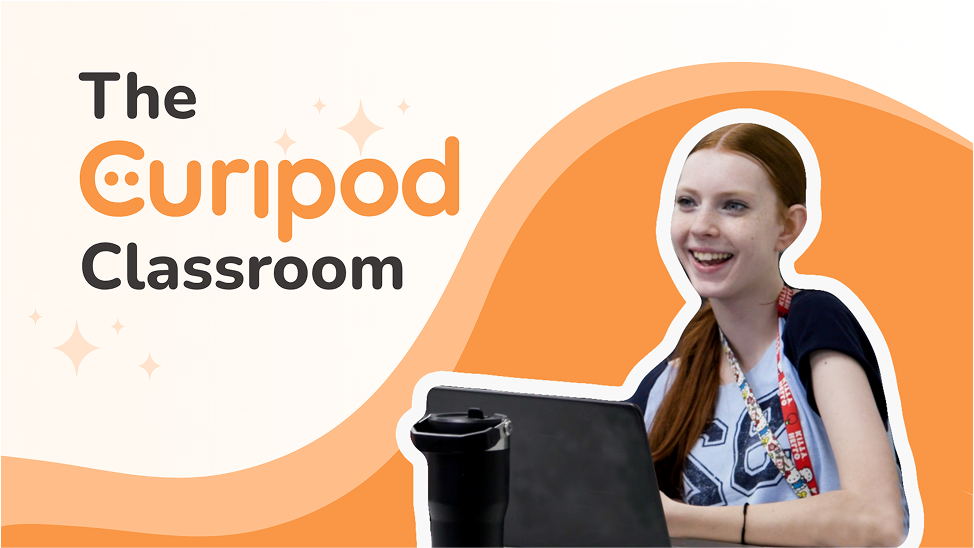
Curipod is one of the most engaging AI tools for teachers designed to create interactive lessons in minutes. It helps educators turn simple topics into full classroom presentations that include polls, questions, drawings, reflections, and student interaction.
Unlike traditional slide tools, Curipod focuses on real-time student participation. Teachers can create lessons where students actively respond, making the classroom more dynamic and engaging.
Many educators use Curipod to improve attention, participation, and understanding in both physical and online classrooms.
Why Teachers Are Using Curipod
Teachers today face a common challenge: keeping students engaged. Curipod solves this by turning passive lessons into interactive experiences.
Teachers use Curipod because it:
- Creates interactive lessons instantly
- Improves student engagement
- Reduces lesson preparation time
- Encourages classroom participation
- Works well for both in-person and online teaching
- Supports creative learning activities
It is especially useful for teachers who want to move beyond traditional lectures.
Key Features
Create full interactive lessons from a simple topic or prompt.
Students respond in real time through polls, questions, and activities.
Students can draw or write their answers during lessons.
Turn lessons into structured slide-style presentations automatically.
Track student participation and responses.
Generate interactive questions for classroom discussions.
Add images and visuals to make lessons more engaging.
A teacher is preparing a geography lesson about climate change.
Instead of creating a normal lecture:
- The teacher enters the topic into Curipod
- The AI generates a full interactive lesson
- Students answer live questions during the class
- Polls are used to check understanding
- Students submit drawings or reflections
- The teacher reviews responses instantly
This transforms a one-way lecture into an interactive learning experience.
Benefits for Different Types of Teachers
Elementary School Teachers
- Fun interactive activities
- Drawing-based learning
- Simple engagement tools
Middle School Teachers
- Group discussions
- Interactive quizzes
- Visual learning support
High School Teachers
- Debate-style questions
- Concept-based discussions
- Real-time feedback
College Instructors
- Student participation tracking
- Lecture engagement tools
- Research discussions
Online Educators
- Live interactive sessions
- Remote engagement tools
- Digital classroom activities
What Makes Curipod Different?
Curipod stands out because it focuses on active learning instead of passive teaching.
Key differences include:
- Real-time student interaction
- AI-powered lesson creation
- Built-in engagement tools
- Easy presentation mode
- Focus on participation rather than lectures
- Simple interface for teachers
This makes it one of the most effective AI teaching tools for engagement-focused classrooms.
Pros
✅ Highly interactive lessons
✅ Easy AI lesson generation
✅ Improves student engagement
✅ Works for all grade levels
✅ Saves preparation time
✅ Encourages creativity in learning
✅ Real-time feedback system
Cons
❌ Requires stable internet connection
❌ Limited offline use
❌ Some features are paid
❌ May need customization for advanced subjects
Pricing
Curipod offers:
- Free Plan
- Paid School Plans
- Custom pricing for institutions
Pricing may vary depending on features and school requirements.
Overall Rating
⭐⭐⭐⭐⭐ 4.6/5
Best For: Teachers who want to create interactive, engaging, and participation-focused lessons using AI.
6. Eduaide.AI
Overview
Eduaide.AI is a powerful AI tool for teachers designed specifically to support lesson planning, instructional design, and classroom resource creation. It helps educators generate structured lesson plans, activities, assignments, rubrics, feedback, and teaching materials in just a few clicks.
Unlike general AI tools, Eduaide.AI is built with a strong focus on education workflows. This makes it one of the most practical AI teaching tools for reducing teacher workload while maintaining instructional quality.
Many teachers use Eduaide.AI as a daily assistant for planning lessons, creating differentiated materials, and improving classroom efficiency.
Why Teachers Are Using Eduaide.AI
Teachers often spend hours preparing lessons, designing worksheets, and writing feedback for students. Eduaide.AI helps solve this problem by automating repetitive teaching tasks.
Teachers use Eduaide.AI because it:
- Reduces lesson planning time
- Generates high-quality classroom resources
- Helps create differentiated learning materials
- Produces structured rubrics and assessments
- Supports student feedback writing
- Improves teaching productivity
- Works across multiple subjects and grade levels
It is especially useful for teachers who want a structured and organized AI teaching assistant.
Key Features
Create detailed, curriculum-aligned lesson plans in minutes.
Generate homework tasks, classroom activities, and projects easily.
Design clear and structured grading rubrics for any assignment.
Write personalized feedback quickly and efficiently.
Create printable worksheets for different learning levels.
Convert complex topics into easy-to-understand explanations.
Adapt materials for students with different learning abilities.
Generate creative activities to improve student engagement.
Real-World Use Case
A teacher is preparing a lesson on “Photosynthesis” for a high school biology class.
Instead of manually creating everything:
- The teacher enters the topic into Eduaide.AI
- The AI generates a structured lesson plan
- It creates a worksheet for practice
- It builds a rubric for assessment
- It provides discussion questions
- It generates feedback templates for students
What normally takes hours can be completed in minutes with consistent quality
Benefits for Different Types of Teachers
Elementary School Teachers
- Simple lesson planning
- Easy worksheets
- Basic classroom activities
Middle School Teachers
- Structured assignments
- Engaging activities
- Assessment tools
High School Teachers
- Advanced lesson plans
- Rubric-based grading
- Exam preparation materials
College Instructors
- Course planning support
- Academic assignments
- Structured evaluation tools
Online Educators
- Digital lesson creation
- Virtual assignments
- Automated teaching support
What Makes Eduaide.AI Different?
Eduaide.AI is different because it focuses deeply on instructional design, not just content generation.
Key advantages include:
- Education-focused AI workflows
- Strong lesson structure output
- Built for teacher productivity
- Supports differentiation easily
- Includes assessment and feedback tools
- Simple and clean interface
This makes it one of the most reliable AI tools for educators who want structured teaching support.
Pros
✅ Built specifically for teachers
✅ Saves significant planning time
✅ High-quality lesson structure
✅ Strong differentiation features
✅ Useful feedback generation tools
✅ Works across subjects
✅ Easy to use interface
Cons
❌ Some features require paid plan
❌ Limited multimedia tools compared to Canva
❌ Requires internet connection
❌ Outputs may need minor editing for curriculum alignment
Pricing
Eduaide.AI typically offers:
- Free Plan
- Paid Subscription Plans
- School/District Licensing
Pricing may vary depending on features and institution size.
Overall Rating
⭐⭐⭐⭐⭐ 4.7/5
Best For: Teachers who want structured lesson planning, assignment creation, rubrics, and classroom resource generation using AI.
Related: Here are Invoice Automation for Small Businesses in 2026 – (Beginner Guide)
7. Gradescope
Gradescope is a powerful AI-powered education tool designed mainly to simplify grading and assessment work for teachers. It is widely used in schools, colleges, and universities to handle assignments, exams, quizzes, and even coding tasks.
Instead of manually checking every paper one by one, Gradescope helps teachers grade faster, more fairly, and with better consistency. It groups similar answers together so teachers can grade multiple responses at once.
This makes it one of the most useful digital teaching assistants for educators who deal with large classes or heavy workloads.
Why Teachers Are Using Gradescope
Grading is one of the most time-consuming parts of teaching. Teachers often spend hours marking papers, checking answers, and calculating results.
Gradescope solves this problem by:
- Saving time in grading assignments
- Making grading more consistent and fair
- Handling large batches of student submissions
- Reducing repetitive manual checking
- Providing clear performance insights
- Supporting both online and offline exams
This is why many educators consider it a strong AI education tool for classrooms.
Key Features
Gradescope automatically groups similar answers together so teachers can grade them in bulk.
Students can upload handwritten or typed assignments easily.
Teachers can create structured rubrics for fair and consistent marking.
Works for multiple-choice, short answers, and long-form questions.
Special tools for grading programming and technical assignments.
Shows student progress, common mistakes, and learning gaps.
Students can request review of their graded work directly.
Real-World Use Case
A university teacher has 150 students submitting midterm exams.
Without Gradescope:
- Each paper is checked manually
- Grading takes days
- Mistakes and inconsistencies can happen
With Gradescope:
- Students upload their exams online
- AI groups similar answers together
- Teacher grades one group at a time
- Rubrics are applied consistently
- Results are shared quickly with students
- Analytics highlight weak topics
This saves a huge amount of time while improving accuracy.
Benefits for Different Teachers
Elementary Teachers
- Simple quiz grading
- Faster worksheet checking
Middle School Teachers
- Structured test evaluation
- Easy performance tracking
High School Teachers
- Exam grading support
- Assignment evaluation tools
College Instructors
- Large class grading
- Coding and technical assignments
- Automated assessment workflows
Online Educators
- Digital grading system
- Remote student assessment
What Makes Gradescope Different?
Gradescope is not a lesson planning tool like other AI platforms. It is focused only on assessment and grading efficiency.
Its key strengths include:
- AI-powered answer grouping
- Rubric-based evaluation system
- Supports handwritten submissions
- Handles large student volumes
- Improves grading fairness
- Provides detailed analytics
Because of this, it is considered one of the best AI grading tools for teachers.
Pros
✅ Saves a lot of grading time
✅ Improves fairness and consistency
✅ Works for large classrooms
✅ Supports digital and handwritten work
✅ Strong analytics and reporting tools
✅ Useful for coding assignments
✅ Reduces teacher workload
Cons
❌ Only focused on grading (not lesson planning)
❌ Some features require institutional access
❌ Learning curve for beginners
❌ Internet connection required
Pricing
Gradescope usually offers:
- Free limited access for instructors
- Institutional licenses
- Custom pricing for schools and universities
Exact pricing depends on usage and organization type.
It is especially useful for teachers handling large numbers of students.
Overall Rating
⭐⭐⭐⭐⭐ 4.6/5
Best For: Teachers who want fast, fair, and automated grading for assignments, exams, and coding tasks.
8. Diffit
Overview
Diffit is a modern AI-powered classroom tool designed to help teachers quickly adapt reading materials for different student levels. It is especially useful in classrooms where students have mixed abilities and need different levels of support.
Instead of creating multiple versions of the same content manually, teachers can use Diffit to automatically simplify, summarize, or adjust text according to student reading levels. This makes it one of the most practical AI tools for educators focused on differentiated instruction.
Many teachers use Diffit to save time while ensuring every student can understand the same topic at their own level.
Why Teachers Are Using Diffit
In real classrooms, not all students learn at the same pace. Some students need simpler explanations, while others need more advanced content.
Diffit solves this problem by:
- Adapting reading content for different levels
- Saving time on content modification
- Supporting inclusive classroom learning
- Generating summaries and explanations
- Creating leveled questions automatically
- Helping struggling students understand topics easily
This makes it a strong AI-based learning support tool for modern education.
Key Features
Automatically rewrites content for different grade and reading levels.
Turns complex information into easy-to-understand explanations.
Creates short summaries of long articles or lessons.
Generates comprehension questions based on the content.
Highlights and explains difficult words for students.
Produces different versions of the same material for mixed-ability classrooms.
Helps teachers prepare differentiated classroom resources quickly.
Real-World Use Case
A teacher is teaching a science topic like “Water Cycle” to a mixed-ability class.
Instead of manually rewriting content:
- The teacher inputs the article into Diffit
- The tool generates three versions (easy, medium, advanced)
- It creates comprehension questions for each level
- Vocabulary explanations are added automatically
- The teacher shares different versions with students
This ensures every student learns at their own level without extra workload.
Benefits for Different Types of Teachers
Elementary School Teachers
- Simple reading materials
- Easy vocabulary explanations
- Basic comprehension support
Middle School Teachers
- Level-based reading assignments
- Structured comprehension questions
- Vocabulary building activities
High School Teachers
- Advanced reading adaptation
- Subject-based content simplification
- Critical thinking questions
College Instructors
- Summarized academic readings
- Simplified research explanations
- Student support materials
Special Education Teachers
- Highly simplified content versions
- Personalized learning materials
- Accessibility support tools
What Makes Diffit Different?
Diffit stands out because it focuses specifically on differentiated learning, not general content creation.
Key advantages include:
- Built for mixed-ability classrooms
- Instant reading level adjustments
- Saves time on rewriting content
- Supports inclusive education
- Automatically generates learning support materials
- Focused on comprehension improvement
This makes it one of the most useful AI classroom support tools for teachers.
Pros
✅ Excellent for differentiated instruction
✅ Saves time on content adaptation
✅ Easy to use interface
✅ Supports inclusive learning
✅ Generates questions automatically
✅ Helps struggling students
✅ Works across subjects
Cons
❌ Limited features beyond reading adaptation
❌ Requires internet connection
❌ Some advanced features may be paid
❌ Not suitable for full lesson planning
Pricing
Diffit generally offers:
- Free Plan
- Paid subscription options
- School and district licenses
Pricing may vary depending on usage and institution type.
Overall Rating
⭐⭐⭐⭐⭐ 4.6/5
Best For: Teachers who want to simplify reading materials, create leveled content, and support diverse learners using AI.
9. Khanmigo
Khanmigo is an advanced AI learning assistant for teachers and students, developed by Khan Academy. It is designed to act like a personal tutor that helps students understand concepts step by step instead of just giving direct answers.
Unlike general AI tools, Khanmigo is focused on guided learning, critical thinking, and educational support. It helps students learn in a more interactive and structured way while also giving teachers useful classroom support tools.
This makes it one of the most trusted AI tools for educators in modern digital learning environments.
Why Teachers Are Using Khanmigo
Teachers use Khanmigo because it improves how students learn, not just what they learn.
It helps by:
- Acting as a personal AI tutor for students
- Encouraging step-by-step problem solving
- Supporting independent learning
- Reducing teacher workload in explanations
- Providing safe, education-focused AI responses
- Helping students stay engaged in learning
It is especially useful in classrooms where students need extra academic support.
Key Features
Guides students through problems instead of giving direct answers.
Breaks down complex topics into simple learning steps.
Helps teachers create lessons, questions, and classroom activities.
Supports students in improving essays and written assignments.
Encourages students to think and find answers themselves.
Supports math, science, history, writing, and more.
Designed specifically for educational use with controlled responses.
Real-World Use Case
A student is struggling with a math algebra problem.
Instead of simply providing the answer:
- Khanmigo asks guiding questions
- It explains each step clearly
- It checks student understanding
- It provides hints when needed
- It helps the student reach the final solution independently
This builds stronger understanding instead of memorization.
Benefits for Different Types of Teachers
Elementary School Teachers
- Simple explanations for young learners
- Guided reading and math support
- Interactive learning assistance
Middle School Teachers
- Step-by-step problem solving
- Homework support tools
- Concept reinforcement
High School Teachers
- Advanced subject explanations
- Essay writing guidance
- Exam preparation support
College Instructors
- Concept clarification
- Research guidance support
- Academic writing assistance
Online Educators
- Virtual tutoring support
- Self-paced learning assistance
- Student engagement improvement
What Makes Khanmigo Different?
Khanmigo stands out because it is not just an AI chatbot—it is designed as a learning coach.
Key differences include:
- Focus on guided learning instead of direct answers
- Built by Khan Academy (trusted education platform)
- Strong emphasis on critical thinking
- Safe and controlled educational environment
- Teacher and student-focused design
- Supports independent learning development
This makes it one of the most reliable AI education tools available.
Pros
✅ Encourages critical thinking
✅ Strong educational foundation (Khan Academy)
✅ Step-by-step learning support
✅ Safe for students
✅ Reduces teacher explanation workload
✅ Improves independent learning
✅ Covers multiple subjects
Cons
❌ Limited availability in some regions
❌ Some features require subscription
❌ Not as flexible as general AI tools
❌ Internet connection required
Pricing
Khanmigo typically offers:
- Limited access plans
- Paid subscription for full features
- School and district licensing options
Pricing may vary depending on region and availability.
Overall Rating
⭐⭐⭐⭐⭐ 4.7/5
Best For: Teachers and students who want guided learning, tutoring support, and step-by-step academic help using AI.
10. SchoolAI
SchoolAI is a modern AI-powered education platform designed to improve classroom engagement, student support, and teacher productivity. It allows teachers to create AI-driven learning spaces where students can interact, ask questions, and get personalized help during learning activities.
Unlike traditional teaching tools, SchoolAI focuses on real-time student interaction and personalized learning experiences. It helps teachers manage classrooms more efficiently while giving students a safe space to learn with AI support.
This makes it one of the most promising AI tools for teachers in 2026 for engagement and classroom management.
Why Teachers Are Using SchoolAI
Teachers are using SchoolAI because it helps them manage both teaching and student interaction more effectively.
It supports teachers by:
- Creating AI-powered student learning spaces
- Providing real-time student assistance
- Improving classroom engagement
- Supporting personalized learning paths
- Reducing repetitive student questions
- Helping monitor student activity
- Making digital classrooms more interactive
It is especially useful in modern classrooms where digital learning is becoming more common.
Key Features
Create individual or group learning environments where students can interact with AI.
Students can ask questions and get instant educational support.
Teachers can monitor student progress and engagement easily.
AI adapts responses based on student understanding.
Create interactive assignments and learning tasks.
View how actively students participate in lessons.
Designed specifically for education with controlled AI responses.
Real-World Use Case
A teacher is conducting a history lesson on “World War II”.
Instead of a traditional lecture:
- The teacher creates a SchoolAI classroom space
- Students join the AI-powered learning environment
- Students ask questions during the lesson
- AI provides explanations in real time
- Teacher monitors student understanding
- Students complete interactive tasks
This turns a normal lesson into an interactive learning experience.
Benefits for Different Types of Teachers
Elementary School Teachers
- Simple guided learning support
- Interactive classroom activities
- Easy student engagement tools
Middle School Teachers
- Group learning spaces
- Real-time Q&A support
- Better classroom participation
High School Teachers
- Subject-based AI assistance
- Exam preparation support
- Student performance tracking
College Instructors
- Large class management tools
- Interactive lecture support
- Student engagement analytics
Online Educators
- Virtual classroom environments
- Remote student interaction
- Digital learning support
What Makes SchoolAI Different?
SchoolAI stands out because it focuses on interactive AI classrooms, not just content creation.
Key differences include:
- Real-time student AI interaction
- Dedicated learning spaces
- Strong classroom engagement tools
- Teacher monitoring dashboard
- Personalized learning support
- Built specifically for education environments
This makes it one of the most innovative AI classroom tools for educators.
Pros
✅ Improves student engagement
✅ Supports real-time learning
✅ Easy classroom management
✅ Personalized student support
✅ Works for digital learning environments
✅ Helps reduce teacher workload
✅ Safe education-focused AI system
Cons
❌ Newer platform (still evolving)
❌ Some features may require subscription
❌ Requires stable internet connection
❌ May need training for full use
Pricing
SchoolAI typically offers:
- Free access (limited features)
- Paid plans for advanced tools
- School and district licensing
Pricing depends on institution size and features required.
Overall Rating
⭐⭐⭐⭐⭐ 4.6/5
Best For: Teachers who want interactive classrooms, real-time student support, and AI-powered learning environments.
Common Mistakes When Using AI Tools in Teaching
Many teachers use AI tools incorrectly, which reduces effectiveness:
- Relying 100% on AI without reviewing content
- Not customizing lesson plans for students
- Using the same AI tool for everything
- Ignoring curriculum requirements
- Not checking accuracy of AI-generated answers
AI should support teaching, not replace teacher judgment.
Future of AI in Education
AI is expected to become a core part of modern education. In the future:
- Classrooms will become more interactive
- Personalized learning will increase
- AI tutors will support every student
- Teachers will focus more on creativity and mentoring
- Administrative work will be almost fully automated
AI will not replace teachers, but it will transform how teaching is done.
Pro Tips for Teachers Using AI Tools
- Always edit AI-generated content before use
- Combine 2–3 tools for better results
- Use AI for ideas, not final answers
- Match content with student level
- Keep classroom interaction human-based
💡 Expert Insight
AI tools for teachers are most effective when they are used as assistive partners, not replacements. The highest-performing educators in 2026 are combining multiple AI platforms to handle different tasks such as lesson planning, grading, and student engagement.
Pro Insight: Teachers who combine 2–3 AI tools (like MagicSchool AI + ChatGPT + Quizizz AI) save up to 40–60% more preparation time compared to using a single platform.
Focus on workflow, not just tools — that is where real productivity improvement happens.
Conclusion
AI is no longer just a future technology — it is already changing how teachers plan, teach, and manage classrooms in 2026. From lesson planning and grading to student engagement and personalized learning, AI tools for modern teachers are making education faster, easier, and more effective.
Each tool we discussed has its own strength. Some tools like MagicSchool AI and Eduaide.AI are best for lesson planning, while tools like Quizizz AI and Gradescope focus on assessments and grading. On the other hand, platforms like Canva for Education and Curipod improve creativity and classroom engagement. For student learning support, Khanmigo and Diffit play a very strong role.
The main point is simple: there is no single perfect tool for everything. The best approach is to combine a few AI-powered education tools based on your teaching style and classroom needs.
However, among all the options, MagicSchool AI stands out as the most complete solution because it brings multiple teaching functions into one platform, making it a strong all-in-one assistant for educators.
In the end, AI is not here to replace teachers — it is here to support them. Teachers who use these tools wisely can save hours of work, reduce stress, and create a more engaging and effective learning experience for students.
Final Thought:
The future of education belongs to teachers who learn how to work with AI, not against it.
FAQ (Frequently Asked Questions)
1. What are the best AI tools for teachers in 2026?
The best AI tools for teachers include MagicSchool AI, ChatGPT, Canva for Education, Quizizz AI, Curipod, Eduaide.AI, Gradescope, Diffit, Khanmigo, and SchoolAI. These tools help with lesson planning, grading, quizzes, and classroom engagement.
2. Which AI tool is best for teachers overall?
MagicSchool AI is considered the best overall AI tool for teachers because it is specially designed for education. It combines lesson planning, quizzes, worksheets, and classroom support in one platform.
3. Can AI tools replace teachers?
No, AI tools cannot replace teachers. They only assist in tasks like planning, grading, and content creation. Real teaching, guidance, and student support still depend on human teachers.
4. Are AI tools safe for classroom use?
Yes, most AI tools for education are safe if used properly. Teachers should always review AI-generated content before using it in the classroom to ensure accuracy and suitability.
5. Which AI tool is best for grading assignments?
Gradescope is one of the best AI tools for grading assignments and exams. It saves time, improves consistency, and works well for large classes.
6. What is the best free AI tool for teachers?
ChatGPT, Canva for Education, and Quizizz AI all offer free plans that are very useful for teachers. These tools can help with lesson planning, quizzes, and classroom activities.
7. How do AI tools help teachers?
AI tools help teachers save time, create lesson plans, generate quizzes, grade assignments, and improve student engagement. They reduce workload and make teaching more efficient.
8. Can teachers use multiple AI tools together?
Yes, teachers often use multiple AI tools together. For example, they may use MagicSchool AI for lesson planning, Quizizz AI for quizzes, and Canva for Education for presentations.
9. Do AI tools work for all subjects?
Yes, most AI tools support all major subjects like math, science, English, and social studies. However, some tools are more effective for specific tasks like grading or visual content creation.
10. Why are AI tools important for modern education?
AI tools are important because they help teachers reduce workload, improve teaching quality, and make learning more interactive and personalized for students.
Related: Here are 12 Best AI Tools for Coding in 2026 (Top Picks for Developers)