
Video content is growing faster than ever. But making videos the traditional way takes time and money. This is where AI video generator tools help. These tools can turn text, images, or scripts into videos in minutes. You do not need editing skills or expensive software. In this guide, we will explore the 31 best AI video generator tools in 2026, both free and paid.
AI video generator tools are software platforms that use artificial intelligence to create videos automatically. You can simply enter a script, idea, or prompt. The AI then generates scenes, voiceovers, animations, and subtitles.
These tools are useful for:
- YouTube videos
- Marketing ads
- Social media content
- Online courses
- Product demos
Many businesses now rely on AI video generator tools to save time and reduce production costs.
Related: Here are 10 New AI Tools Nobody Knows About in 2026
Best AI Video Generator Tool
The best AI video generator tools in 2026 are Synthesia and InVideo AI. Synthesia is best for professional business videos with AI avatars, while InVideo AI is best for YouTube, social media, and fast content creation from text prompts.

1. Synthesia
Synthesia is one of the best AI video generator tools. It hepls users to create professional videos using AI avatars that speak your script. You simply type your text, choose an avatar, and the platform creates a video automatically.
Many companies use Synthesia for training videos, product demos, marketing content, and presentations. It supports multiple languages and voices, which makes it useful for global audiences.
- Realistic AI avatars and presenters
- Text-to-video generation
- Support for 120+ languages and voices
- Ready-made video templates
- slide upload and Screen recording
- Custom AI avatar option
Pricing
- No permanent free plan
- Free demo available
- Paid plans start around $29/month depending on features and video minutes.
Pros
- ✅ No camera or actors required
- ✅ Saves time (videos in minutes)
- ✅ Supports 120+ languages
- ✅ Beginner-friendly interface
- ✅ Professional AI avatars
- ✅ Cost-effective for businesses
- ✅ Great for training & marketing videos
Cons
- ❌ Limited avatar expressions (can feel robotic)
- ❌ Not ideal for emotional storytelling
- ❌ Pricing may be high for beginners
- ❌ Needs strong script writing skills
- ❌ Limited creative flexibility
- ❌ Some voices sound less natural
2. Pictory
Pictory is a powerful tool among modern AI video generator tools. It helps users turn long content such as blog posts, scripts, or articles into short and engaging videos. The platform automatically selects visuals, adds captions, and creates scenes based on the text you provide.
Pictory is popular with bloggers, YouTubers, and digital marketers because it makes video creation fast and simple. Even beginners can create professional-looking videos without editing skills.
Key Features
- Blog or article to video conversion
- Text-to-video AI generator
- Automatic captions and subtitles
- Large stock video and image library
- AI voiceover support
- Easy online video editor
Pricing
- Free trial available
- Paid plans start around $19/month depending on the features and video length.
Pros
✅ Converts text/blogs into videos
✅ Easy-to-use interface
✅ Large stock library
✅ Auto subtitles
Cons
❌ Limited customization
❌ Repetitive visuals
❌ Not highly creative
❌ Paid features required
3. Runway ML
Runway ML is used by creators, designers, and filmmakers. It allows users to generate videos from text prompts and edit videos using powerful AI features. The platform is known for its Gen-2 text-to-video technology, which can create unique video clips based on simple descriptions.
Runway ML is broadly used forinspired storytelling, visual effects, and experimental video projects. It also provides professional tools for editing and improving videos with artificial intelligence.
Key Features
- Text-to-video AI generation
- AI video editing tools
- Background removal from videos
- Motion tracking and visual effects
- Image-to-video conversion
- Cloud-based video editing
Pricing
- Free plan available with limited credits
- Paid plans start around $15/month with more generation time and features.
Pros
✅ Advanced AI video editing
✅ Text-to-video generation
✅ Powerful creative tools
Cons
❌ Learning curve
❌ Expensive plans
❌ Requires strong hardware understanding
❌ Not beginner-friendly
Related: Here are 27 Best AI Tools to Make Money Online
4. InVideo AI
InVideo AI is a modern platform that allows users to create full videos from a simple text prompt or idea. You only need to describe your topic, and the AI will generate scenes, voiceovers, subtitles, and visuals automatically.
The platform is widely used by YouTubers, marketers, and social media creators who want to produce videos quickly without difficult editing. It also offers many ready-made templates for different types of content.
Key Features
- AI text-to-video generation
- Ready-made video templates
- AI voiceover and narration
- Automatic subtitles and captions
- Large stock video and music library
- Easy online video editor
Pricing
- Free plan available with watermark
- Paid plans start around $20/month with higher export quality and more AI features.
Pros
✅ Fast video creation
✅ Ready-made templates
✅ Beginner-friendly
✅ Good for social media
❌ Cons
❌ Watermark on free version
❌ Limited customization
❌ Template-based feel
❌ Stock dependency
5. Luma AI Dream Machine
Luma AI Dream Machine is an advanced tool. It allows users to create accurate and filmic videos from simple text prompts. The AI understands scenes and motion, then generates short video clips based on your description.
Many creators use Luma AI Dream Machine for creative storytelling, visual experiments, and social media videos. The platform is known for creating smooth motion and high-quality visuals.
Key Features
- Text-to-video generation
- High-quality cinematic visuals
- Fast video rendering
- Realistic motion and scene creation
- Simple prompt-based interface
Pricing
- Free plan available with limited generations
- Paid plans expected for higher usage and advanced features.
Pros
✅ High-quality AI videos
✅ Realistic motion
✅ Cutting-edge tech
✅ Great visuals
Cons
❌ Limited availability
❌ Still developing
❌ Unstable outputs sometimes
❌ Not beginner-focused
6. Veed.io AI Video Generator
Veed.io is a famous online editor that now includes powerful AI video generator tools. It allows users to create videos from text prompts, scripts, or simple ideas. You can generate and edit videos in one place with its built-in editing tools offer.
Many content creators, marketers, and educators use Veed.io to produce YouTube videos, social media clips, and marketing content quickly. The interface is simple and works directly in the browser, which makes it beginner friendly.
Key Features
- AI text-to-video generator
- Automatic subtitle generator
- Built-in online video editor
- AI voiceover tools
- Screen recording feature
- Stock video and music library
Pricing
- Free plan available with watermark and limited features
- Paid plans start around $18/month with higher export quality and advanced tools.

Pros
✅ Easy interface
✅ Auto subtitles
✅ Online editing
✅ Good for quick videos
Cons
❌ Slow rendering
❌ Free version limitations
❌ Limited AI power
❌ Export restrictions
7. Descript
Descript is an advanced AI tool for editing video and audio. It allows you to edit videos by simply editing the text transcript. This makes the editing process fast and easy for beginners.
Key Features
- Edit video using text transcript
- AI voice cloning and voiceover
- Screen recording
- Automatic transcription
- Podcast and YouTube editing tools
Pricing
- Free plan available with limited exports
- Paid plans start around $12/month
Pros
✅ Edit videos via text
✅ Great for podcasts
✅ Screen recording
✅ AI voice cloning
Cons
❌ Bugs sometimes
❌ Limited visuals
❌ Learning curve
❌ Paid features
8. DeepBrain AI
DeepBrain AI allows users to create videos using realistic AI presenters that can speak your script naturally. You only need to enter text, and the AI avatar will present it like a real person.
This tool is widely used for business presentations, news content, online courses, and corporate training videos. DeepBrain AI supports multiple languages, which makes it useful for global audiences.
Key Features
- Realistic AI avatars and presenters
- Text-to-video generation
- Multiple language support
- Custom video templates
- AI voice and lip-sync technology
- Easy script-based video creation
Pricing
- Free trial available
- Paid plans start around $30/month, depending on video length and features.
Pros
✅ Realistic avatars
✅ Multi-language
✅ Good for presentations
✅ Corporate use
Cons
❌ Expensive
❌ Limited creativity
❌ Template-based
❌ Not for storytelling
Related: Here are Top AI Freelancing Jobs That Pay Well in 2026
9. Fliki
Fliki is a popular AI platform that converts text into videos with natural voiceovers. Users can paste a script, blog post, or idea and the tool will generate a video automatically. It is widely used for social media videos and YouTube content.
Key Features
- Text-to-video creation
- AI voiceovers in many languages
- Large stock image and video library
- Auto subtitles
- Simple drag-and-drop editor
Pricing
- Free plan available with limited credits
- Paid plans start around $21/month
Pros
✅ Text-to-video
✅ AI voices
✅ Easy to use
✅ Fast creation
Cons
❌ Voice realism varies
❌ Limited visuals
❌ Repetitive content
❌ Basic customization
10. Colossyan Creator
Colossyan Creator is an AI video platform designed for business and training content. It allows users to create professional videos using AI actors and simple text scripts. Companies often use it for learning materials and product tutorials.
Key Features
- AI actors and presenters
- Text-to-video creation
- Multiple languages support
- Screen recording integration
- Custom branding options
Pricing
- Free trial available
- Paid plans start around $28/month
Pros
✅ AI presenters
✅ Training videos
✅ Multi-language
✅ Script-based
Cons
❌ Expensive
❌ Limited creativity
❌ Avatar limitations
❌ Not cinematic
11. Elai.io
Elai.io is a modern platform that allows users to create videos from simple text or presentation slides. You can enter a script or upload a PowerPoint file, and the AI will turn it into a professional video with an AI presenter.
This tool is commonly used for training videos, educational content, product demos, and business presentations. It also supports multiple languages, which helps creators reach a global audience.
Key Features
- Text-to-video generation
- PowerPoint to video conversion
- AI avatars and presenters
- Multiple language support
- Custom branding options
- Easy online video editor
Pricing
- Free plan available with limited features
- Paid plans start around $23/month, depending on video length and advanced features.
✅ Pros
✅ Interactive avatars
✅ Multi-language
✅ Easy to use
✅ Good for business
Cons
❌ Limited templates
❌ UI lag
❌ Less creative control
❌ Paid plans
12. Kaiber AI
Kaiber AI is popular among artists and content creators. It allows users to generate creative videos from text prompts or images. Many musicians use Kaiber to create AI music videos.
Key Features
- Text-to-video AI generation
- Image-to-video animation
- Creative visual styles
- Music video creation
- Fast rendering
Pricing
- Free trial available
- Paid plans start around $15/month
Pros
✅ Creative visuals
✅ Music sync
✅ Unique outputs
✅ Great for art videos
Cons
❌ Inconsistent results
❌ Not for business use
❌ Limited control
❌ Learning curve
13. Animoto
Animoto is a simple video creation platform that helps users turn photos and video clips into professional videos. It is widely used for social media marketing and promotional content.
Key Features
- Drag-and-drop video builder
- Ready-made templates
- Music and stock library
- Social media video formats
- Branding tools
Pricing
- Limited free plan
- Paid plans start around $16/month
Pros
✅ Drag-and-drop
✅ Easy for beginners
✅ Templates available
✅ Fast creation
Cons
❌ Limited AI features
❌ Repetitive templates
❌ Not advanced
❌ Paid export
14. Steve AI
Steve AI is an AI video maker that converts scripts into animated or live-action videos. It is helpful for marketing videos, explainers, and educational content.
Key Features
- Script to video conversion
- Animated video creation
- AI voice narration
- Large media library
- Easy editing interface
Pricing
- Free plan available
- Paid plans start around $20/month
Pros
✅ Text to animation
✅ Good for explainers
✅ Easy interface
✅ Quick results
Cons
❌ Cartoonish output
❌ Limited realism
❌ Basic features
❌ Not for professionals
15. Vidnoz AI
Vidnoz AI is a free AI video generator with many avatars and templates. It allows users to create talking avatar videos quickly without editing experience.
Key Features
- Free AI avatars
- Text-to-video generation
- Voice cloning options
- Video templates
- Easy online editor
Pricing
- Free plan available
- Paid plans start around $19/month
Pros
✅ Free AI avatars
✅ Fast generation
✅ Beginner-friendly
✅ No recording needed
Cons
❌ Low realism
❌ Limited features
❌ Watermark
❌ Basic quality
16. FlexClip AI
FlexClip AI is a web-based video creator with many templates and AI tools. It helps users quickly create marketing videos, presentations, and social media clips.
Key Features
- AI text-to-video tool
- Large template library
- Stock videos and music
- Screen recording
- Simple drag-and-drop editor
Pricing
- Free plan available
- Paid plans start around $10/month
Pros
✅ Easy to use
✅ Templates
✅ Online editor
✅ Quick export
Cons
❌ Basic AI features
❌ Watermark
❌ Limited customization
❌ Not advanced
17. Designs.ai Videomaker
Designs.ai is an all-in-one creative platform. Its Videomaker tool can generate videos from text using AI. It also includes voiceover and graphic design tools.
Key Features
- Text-to-video generation
- AI voiceover support
- Large stock media library
- Brand kit tools
- Automated video scenes
Pricing
- Free trial available
- Paid plans start around $19/month
Pros
✅ All-in-one platform
✅ Auto video generation
✅ Easy workflow
✅ Good for beginners
❌ Cons
❌ Generic outputs
❌ Limited control
❌ Paid plans
❌ Not unique
18. Wave.video
Wave.video is a marketing video platform used by businesses and social media managers. It helps users create short promotional videos quickly.
Key Features
- Video templates
- Live streaming tools
- Social media video formats
- Stock footage library
- Video hosting options
Pricing
- Free plan available
- Paid plans start around $16/month
Pros
✅ Social media videos
✅ Hosting included
✅ Easy editing
✅ Templates
Cons
❌ Limited AI features
❌ Pricing tiers
❌ Not advanced
❌ Basic outputs
19. Peech AI
Peech AI helps businesses convert long content such as webinars or podcasts into short marketing videos. It uses AI to highlight important moments.
Key Features
- Automatic video highlights
- Content repurposing tools
- Branding customization
- Subtitle generation
- Social media optimization
Pricing
- Mostly paid plans
- Pricing varies depending on usage
Pros
✅ Marketing videos
✅ Auto branding
✅ Professional use
✅ Fast production
Cons
❌ Expensive
❌ Enterprise focus
❌ Not for beginners
❌ Limited access
20. Hour One
Hour One allows users to create videos using realistic AI presenters. It is commonly used for training, tutorials, and corporate communication.
Key Features
- Realistic AI presenters
- Text-to-video creation
- Multiple languages
- Custom templates
- Business video tools
Pricing
- Free trial available
- Paid plans start around $25/month
Pros
✅ Realistic avatars
✅ Business-ready
✅ Multi-language
✅ Professional output
Cons
❌ Expensive
❌ Limited customization
❌ Script dependent
❌ Not creative
21. Rephrase AI
Rephrase AI focuses on personalized video marketing. Businesses can generate videos with AI presenters that deliver customized messages.
Key Features
- AI avatars
- Personalized marketing videos
- Text-to-video creation
- API integration
- Multi-language support
Pricing
- Mostly enterprise pricing
- Custom paid plans
✅ Pros
✅ Personalized AI videos
✅ Great for marketing
✅ AI avatars
✅ Scalable content
Cons
❌ Expensive plans
❌ Limited creative control
❌ Business-focused only
❌ Not beginner-friendly
22. Wisecut
Wisecut is an AI video editing tool that automatically cuts silence and adds subtitles. It helps creators edit videos quickly for YouTube and social media.
Key Features
- Automatic silence removal
- AI subtitles
- Background music adjustment
- Auto video cuts
- Voice recognition editing
Pricing
- Free plan available
- Paid plans start around $10/month
✅ Pros
✅ Auto removes silence
✅ Great for YouTube videos
✅ Simple editing
✅ Saves time
Cons
❌ Limited manual editing
❌ Basic AI features
❌ Not cinematic
❌ Internet dependent
23. Magisto
Magisto is an AI-powered video editor owned by Vimeo. It automatically edits video clips into professional videos using AI.
Key Features
- Automatic video editing
- AI scene detection
- Templates and effects
- Music library
- Social media export
Pricing
- Free trial available
- Paid plans start around $9/month
✅ Pros
✅ AI video editing
✅ Beginner-friendly
✅ Fast creation
✅ Mobile friendly
Cons
❌ Limited control
❌ Watermark on free plan
❌ Basic outputs
❌ Subscription needed
24. Kapwing AI Video Generator
Kapwing is a collaborative online video editor with AI tools. Teams and creators use it to generate videos, subtitles, and social media content.
Key Features
- AI video generator
- Automatic subtitles
- Team collaboration tools
- Meme and social media templates
- Online video editor
Pricing
- Free plan available with watermark
- Paid plans start around $16/month
✅ Pros
✅ Online editing tool
✅ AI subtitles
✅ Easy collaboration
✅ Beginner-friendly
Cons
❌ Free plan watermark
❌ Slow export sometimes
❌ Limited AI depth
❌ Performance issues
25. Sora AI (OpenAI)
Sora AI is a powerful text-to-video generator developed by OpenAI. It can create realistic videos from simple text prompts. The tool can generate detailed scenes, animations, and cinematic clips.
Key Features
- Advanced text-to-video generation
- High-quality realistic visuals
- Scene understanding by AI
- Creative storytelling videos
- Supports complex prompts
Pricing
- Limited access currently
- Expected to be included in paid AI subscriptions
✅ Pros
✅ Ultra-realistic video generation
✅ Advanced AI model
✅ High creativity potential
✅ Future-ready tool
Cons
❌ Limited public access
❌ Not widely available
❌ Expensive potential
❌ Still evolving
Related: Here are 12 Free Ai Tools for Content Writing in 2026
26. Canva AI Video Generator

Canva now includes AI video generation tools inside its design platform. Users can create short videos using templates, text prompts, and stock media.
Key Features
- AI video templates
- Drag-and-drop editor
- Stock video and music library
- Text-to-video features
- Social media export formats
Pricing
- Free plan available
- Canva Pro starts around $12/month
Pros
✅ Extremely easy to use
✅ Huge template library
✅ Drag-and-drop editing
✅ Beginner friendly
Cons
❌ Limited AI depth
❌ Generic outputs
❌ Less cinematic control
❌ Basic animation
27. Lumen5
Lumen5 is a popular AI video generator used by marketers and bloggers. It converts blog posts or articles into engaging videos automatically.
Key Features
- Blog-to-video conversion
- AI scene generation
- Stock footage library
- Branding customization
- Social media video formats
Pricing
- Free plan available
- Paid plans start around $19/month
Pros
✅ Blog to video conversion
✅ Easy interface
✅ Fast creation
✅ Good for marketing
Cons
❌ Repetitive visuals
❌ Limited customization
❌ Basic AI features
❌ Paid upgrades needed
28. Raw Shorts
Raw Shorts is an AI video creation platform focused on animated explainer videos. Users can convert scripts into animated videos quickly.
Key Features
- Script-to-video conversion
- Animated characters and scenes
- Drag-and-drop video builder
- Voiceover support
- Marketing video templates
Pricing
- Free trial available
- Paid plans start around $20/month
Pros
✅ AI explainer videos
✅ Drag-and-drop editor
✅ Good for business use
✅ Fast output
Cons
❌ Outdated templates
❌ Limited creativity
❌ Basic animation style
❌ Not cinematic
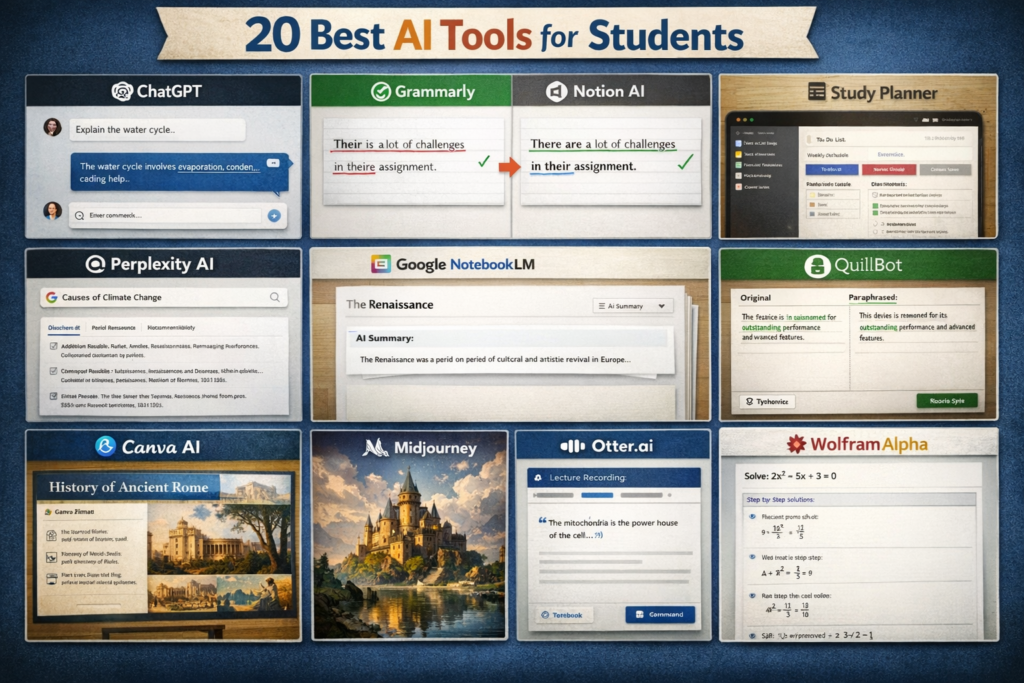
Related: Here are 20 best AI tools for students in 2026
29. Rocketium AI
Rocketium is designed for marketing teams that need to produce videos at scale. It helps businesses create promotional videos quickly using AI automation.
Key Features
- AI video automation
- Brand customization tools
- Team collaboration features
- Social media video formats
- Large media library
Pricing
- Mostly paid plans
- Custom pricing for businesses
Pros
✅ Fast video creation
✅ API integration
✅ Good for teams
✅ Marketing focused
Cons
❌ Complex for beginners
❌ Pricing is high
❌ Limited design freedom
❌ Learning curve
30. Shuffll AI
Shuffll AI helps businesses generate professional marketing videos using AI scripts and editing tools. It is often used by companies for product marketing.
Key Features
- AI script generation
- Automatic video editing
- Branding customization
- Marketing video templates
- Fast video production
Pricing
- Paid plans available
- Pricing depends on usage
Pros
✅ Automates video production
✅ Great for businesses
✅ Consistent branding
✅ Saves time
Cons
❌ Expensive tool
❌ Not for individuals
❌ Limited creativity
❌ Enterprise focused
31. Vizard AI
Vizard AI is a smart video editing and repurposing tool. It converts long videos such as webinars or podcasts into short clips for social media.
Key Features
- AI video clipping
- Automatic subtitles
- Social media optimization
- Content repurposing tools
- Easy online editor
Pricing
- Free plan available
- Paid plans start around $16/month
Pros
✅ Converts long videos into shorts
✅ Great for TikTok/YouTube Shorts
✅ Auto clipping
✅ Saves editing time
Cons
❌ AI mistakes in clipping
❌ Limited editing control
❌ Internet dependent
❌ Basic customization
Related: Here are 24 Best Side Hustles for Couples: Make $500+ a Month
Expert Insight
In 2026, AI video generator tools are not just for automation—they are becoming a core part of digital content strategy. Experts recommend using Synthesia for professional corporate videos and InVideo AI or Pictory for fast content creation and YouTube growth. The key is to choose a tool based on your goal: branding, marketing, or social media engagement.
Conclusion:
AI video generator tools have changed video creation completely in 2026. They save time, reduce costs, and allow anyone to create professional videos without editing skills. Whether you are a YouTuber, marketer, or business owner, these tools help you produce content faster and easier. The best choice depends on your goal — Synthesia for professional business videos, InVideo AI for fast social media content, and Pictory for turning blogs into videos.
AI video generator tools help creators turn text into videos using artificial intelligence. These tools are widely used for YouTube, marketing, social media, and business content creation in 2026.
Frequently Asked Questions (FAQ)
What are AI video generator tools?
AI video generator tools are software platforms that use artificial intelligence to create videos from text, images, or scripts automatically.
Are AI video generators tools free?
Some AI video generator tools offer free plans with limited features. Advanced tools usually require a paid subscription.
Which is the best AI video generator tool?
Popular AI video generator tools include Synthesia, Pictory, Runway ML, and InVideo AI because they provide powerful text-to-video features.
Can AI create YouTube videos?
Yes. Many AI video generator tools can create YouTube videos from scripts. They also add voiceovers, subtitles, and visuals automatically.
Are AI videos good for marketing?
Yes. Businesses use AI video generator tools to create marketing videos, ads, product demos, and social media content quickly.
🚀 AI Video Generator Tools Comparison (2026)
| S.No | Tool | Best For | Pricing | Key Feature | Rating |
|---|---|---|---|---|---|
| 1 | Synthesia | AI avatars & corporate videos | Paid | Realistic AI presenters in 120+ languages | ⭐⭐⭐⭐⭐ |
| 2 | Pictory | Blog to video | Free + Paid | Auto video from articles | ⭐⭐⭐⭐⭐ |
| 3 | Runway ML | Filmmaking | Free + Paid | Text-to-video AI | ⭐⭐⭐⭐⭐ |
| 4 | InVideo AI | YouTube videos | Free + Paid | Full video from text | ⭐⭐⭐⭐⭐ |
| 5 | Luma AI | Cinematic videos | Free + Paid | Realistic motion AI | ⭐⭐⭐⭐⭐ |
| 6 | Veed.io | Online editing | Free + Paid | AI subtitles + editor | ⭐⭐⭐⭐ |
| 7 | Descript | Podcast editing | Free + Paid | Edit video like text | ⭐⭐⭐⭐⭐ |
| 8 | DeepBrain AI | Training videos | Paid | AI presenters | ⭐⭐⭐⭐⭐ |
| 9 | Fliki | Text to video | Free + Paid | AI voice + stock media | ⭐⭐⭐⭐ |
| 10 | Colossyan | Business training | Paid | AI avatars | ⭐⭐⭐⭐⭐ |
| 11 | Elai.io | Presentation to video | Free + Paid | PPT to video | ⭐⭐⭐⭐ |
| 12 | Kaiber AI | Music videos | Free + Paid | Text/image to video | ⭐⭐⭐⭐ |
| 13 | Animoto | Marketing videos | Free + Paid | Drag & drop builder | ⭐⭐⭐⭐ |
| 14 | Steve AI | Explainer videos | Free + Paid | Script to animation | ⭐⭐⭐⭐ |
| 15 | Vidnoz AI | Avatar videos | Free + Paid | Talking avatars | ⭐⭐⭐⭐ |
| 16 | FlexClip | Quick videos | Free + Paid | Templates | ⭐⭐⭐⭐ |
| 17 | Designs.ai | Marketing videos | Free + Paid | Auto video generation | ⭐⭐⭐⭐ |
| 18 | Wave.video | Social media | Free + Paid | Hosting + editor | ⭐⭐⭐⭐ |
| 19 | Peech AI | Repurposing | Paid | Auto clips | ⭐⭐⭐⭐ |
| 20 | Hour One | Corporate videos | Paid | Realistic presenters | ⭐⭐⭐⭐⭐ |
| 21 | Rephrase AI | Marketing | Paid | AI avatars | ⭐⭐⭐⭐ |
| 22 | Wisecut | Auto editing | Free + Paid | Remove silence | ⭐⭐⭐⭐ |
| 23 | Magisto | Auto editing | Free + Paid | Scene detection | ⭐⭐⭐⭐ |
| 24 | Kapwing | Collaboration | Free + Paid | Team editor | ⭐⭐⭐⭐ |
| 25 | Sora AI | Filmmaking | Limited | Ultra realistic video | ⭐⭐⭐⭐⭐ |
| 26 | Canva AI | Beginners | Free + Paid | Drag & drop videos | ⭐⭐⭐⭐⭐ |
| 27 | Lumen5 | Blog to video | Free + Paid | Auto video creation | ⭐⭐⭐⭐ |
| 28 | Raw Shorts | Animation | Free + Paid | Script animation | ⭐⭐⭐⭐ |
| 29 | Rocketium | Marketing bulk | Paid | Bulk video creation | ⭐⭐⭐⭐ |
| 30 | Shuffll AI | Business videos | Paid | Script to video | ⭐⭐⭐⭐ |
| 31 | Vizard AI | Short clips | Free + Paid | Auto clipping | ⭐⭐⭐⭐ |
Which AI video generator tool are you planning to try first?