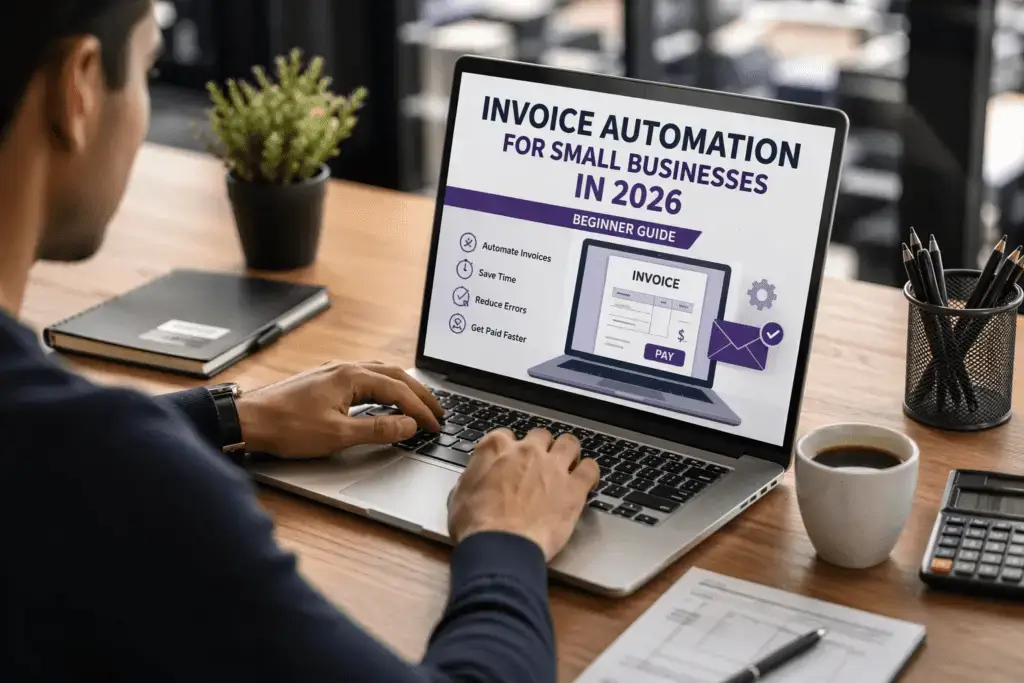
Managing invoices manually takes time. It also creates errors. Many small businesses still rely on spreadsheets or manual billing. That slows growth.
In 2026, things are different. With modern tools, you can automate invoice processing and save hours every week.
This guide will show you how to set up invoice automation for small businesses in 2026 using simple steps and practical tools.
Related: Here are 15 Legit Apps That Pay You Real Money in 2026 (Tested & Proven)
What is Invoice Automation?

Invoice automation means using software to handle billing tasks automatically.
Instead of creating invoices manually, an automated invoicing system does it for you. It can:
- Generate invoices
- Send them to clients
- Track payments
- Send reminders
This reduces manual work and improves accuracy.
That’s why small business invoice automation is becoming essential in 2026.
Why Small Businesses Need Invoice Automation
Manual invoicing creates problems. It wastes time and increases mistakes.
When you automate invoice processing, you get:
- Faster billing
- Fewer errors
- Better cash flow
- Easy tracking
Many businesses are now using AI invoice processing 2026 tools to manage finances more efficiently.
Instead of spending hours on billing, you can focus on growth.
Step 1: Choose the Right Invoice Automation Tools
The first step is selecting the right tools.
There are many invoice automation tools available today. Look for tools that offer:
- Automatic invoice generation
- Payment tracking
- Integration with apps
- Cloud access
A popular option is QuickBooks. It helps small businesses manage invoices, expenses, and payments in one place.
Another powerful tool is Zoho Invoice, which is beginner-friendly and designed for small business invoicing.
These tools are part of modern AI accounting tools 2026 systems.
Step 2: Set Up Your Automated Invoicing System
After choosing software, set up your system.
Add:
- Business details
- Payment terms
- Tax information
- Customer data
Most tools allow templates. This makes invoicing faster.
A good automated invoicing system ensures every invoice looks professional and consistent.
Related: Here are Branded Surveys Review 2026: How Much Can You Really Earn?
Step 3: Automate Invoice Creation
Now you can start automating.
Instead of creating invoices manually, let the system generate them automatically.
You can:
- Schedule recurring invoices
- Create invoices after service completion
- Auto-fill client details
For full automation, you can connect tools using Zapier.
👉 Example system:
- When a client fills a form → Zapier triggers
- Invoice is created automatically in QuickBooks
- Email is sent to client
This is a simple business workflow automation system.
Step 4: Enable Payment Tracking and Reminders
Tracking payments manually is difficult.
Automation tools solve this problem.
They can:
- Track paid and unpaid invoices
- Send automatic reminders
- Notify you of late payments
This improves your cash flow.
That’s why invoice management software is important for small businesses.
Step 5: Integrate with Other Business Tools
To get the best results, connect your invoicing system with other tools.
For example:
- Connect with accounting software
- Link payment gateways
- Integrate CRM systems
This creates a complete digital invoicing for small business ecosystem.
Step 6: Reduce Errors with AI
Manual invoicing often leads to mistakes.
AI tools reduce these errors.
Modern AI invoice processing 2026 systems can:
- Detect duplicate invoices
- Check missing data
- Suggest corrections
This improves accuracy and saves time.
Related: Here are How to Start a Faceless YouTube Channel with AI in 2026 (Complete Guide)
Step 7: Monitor and Improve Your System
Automation is not a one-time setup.
Track:
- Payment delays
- Errors
- Customer response
Improve your workflow over time.
Real Benefits of Invoice Automation
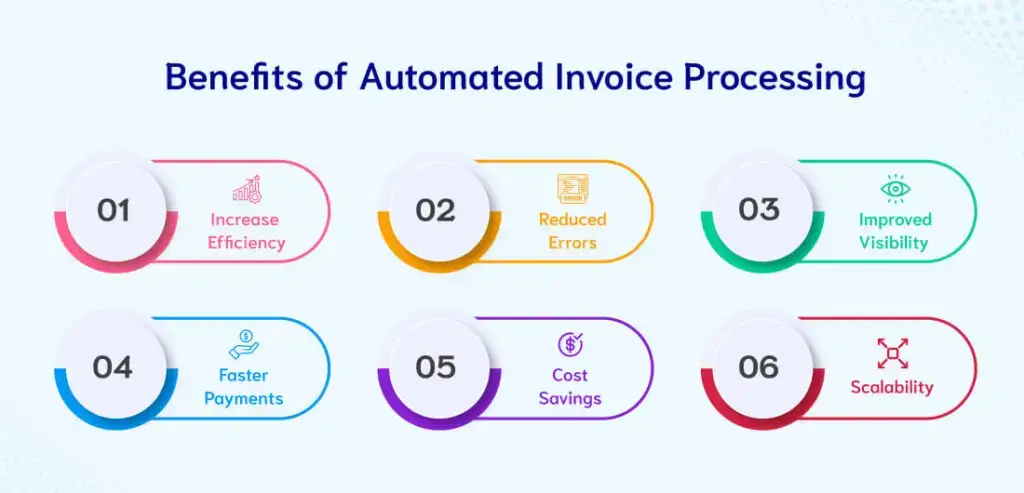
Businesses using automation report strong results.
They save time and reduce manual work.
Many small businesses reduce invoicing time by more than 50%.
This shows the power of automate invoice processing systems.
Final Thoughts
Invoice management should not slow your business.
With the right tools, you can automate invoice processing and focus on growth.
Invoice automation for small businesses in 2026 is a smart move for efficiency and long-term success.
Start simple. Use tools. Build systems.
Real Stats, Data & Success Stories (Why Invoice Automation Works)
Invoice automation is not just a trend. Real data shows strong results for small businesses.
Recent studies show that businesses using automation can process invoices up to 81% faster and reduce costs by nearly 79% compared to manual methods.
This means what used to take hours can now be done in minutes.
Cost & Time Savings
Manual invoicing is expensive and slow.
- Manual invoice processing costs around $9–$15 per invoice
- Automated systems reduce it to around $3–$5 per invoice
- In some cases, businesses save up to 80% in processing costs.
Also, automation can reduce invoice processing time by up to 80%, which means faster approvals and payments.
Productivity Boost for Small Businesses
Small business owners report saving 10–15 hours every month after switching to automation.
That’s almost 2 extra working days every month.
Automation also increases efficiency:
- Manual: ~5 invoices per hour
- Automated: ~30 invoices per hour
Accuracy & Error Reduction
Manual invoicing often leads to mistakes.
AI automation improves accuracy to 95–99%, reducing costly errors.
In fact:
- Manual systems can have up to 39% error rates
- Automated systems reduce errors to almost zero in optimized setups
Real Example (Small Business Case)
A small business shared their workflow after switching to automation:
“We reduced invoice processing from 10 hours per week to about 1 hour.”
They used:
- QuickBooks for accounting
- Zapier for automation
- AI tools for data extraction
Results:
- 5 minutes per invoice → 20 seconds
- 90% work automated
- Huge time savings
Market Trend (2026)
Invoice automation is growing fast.
- Around 70% of businesses already use some automation
- But only a small percentage are fully automated, meaning there is still big opportunity
Businesses that adopt early gain a strong advantage.
Key Insight
The biggest difference is not tools — it is how well you use them.
Companies that fully implement invoice automation for small businesses 2026 see:
- Faster payments
- Better cash flow
- Less manual work
- Higher efficiency
Frequently Asked Questions (FAQ)
1. What is invoice automation for small businesses?
Invoice automation for small businesses means using software to create, send, and track invoices automatically. It reduces manual work and helps manage billing more efficiently.
2. How can I automate invoice processing in 2026?
You can automate invoice processing by using tools like QuickBooks or Zoho Invoice. These tools generate invoices, track payments, and send reminders automatically.
3. Which tools are best for invoice automation?
Popular invoice automation tools include:
- QuickBooks
- Zoho Invoice
- Zapier (for automation workflows)
These tools help build a complete automated invoicing system.
4. Is AI invoice processing safe for small businesses?
Yes, most modern AI invoice processing tools are secure and use encrypted systems. They are designed to protect business and financial data.
5. How much time can invoice automation save?
Invoice automation can save several hours each week. Many small businesses report saving 10–15 hours per month after switching to automation.
6. Can I automate invoices without technical skills?
Yes, most tools are beginner-friendly. You can set up automation with simple steps and templates without coding knowledge.
7. Does invoice automation reduce errors?
Yes, automation reduces human errors. AI tools can detect missing data, duplicates, and calculation mistakes.
8. Is invoice automation worth it in 2026?
Yes, it is highly valuable. It improves efficiency, reduces costs, and helps small businesses scale faster.
Related: Here are How Much Do Instacart Shoppers Make in 2026? (Tips & Weekly Income)